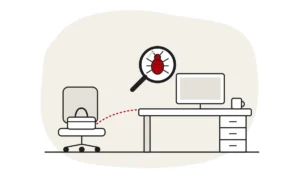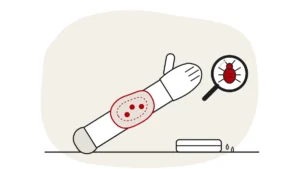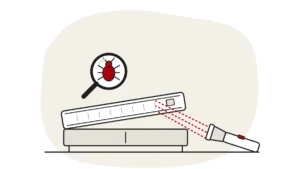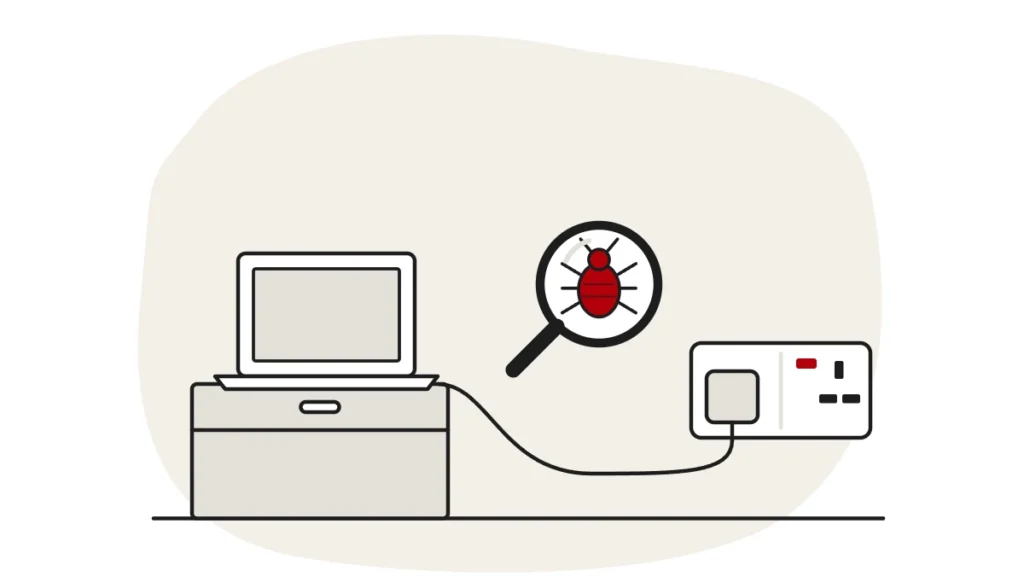
Yes, bed bugs can hide in electronics, but devices aren’t where they usually live. They squeeze into tight, dark gaps close to where people sleep, so a laptop, TV, alarm clock or plug socket near the bed can shelter a few. They don’t feed on or damage devices, and most of them are usually in or around the bed.
Reviewed by James Rhoades, Owner, ThermoPest · Last reviewed 16 October 2026
Finding bed bugs at home and then wondering whether they’ve got into your laptop or TV is a horrible thought. The good news is that electronics are a secondary hiding place, not a nest, and there’s a lot you can do safely. This guide covers which devices bed bugs use, how to check them, what to do (and what never to do) with an electronic item, and how professional treatment deals with them.
Do bed bugs hide in electronics?
They can. Bed bugs are flat, and their bodies can fit into crevices no wider than a toothpick. They can hide inside clocks, phones, televisions and smoke detectors, as well as behind sockets and switch plates. The British Pest Control Association’s (BPCA) advice leaflet also mentions plug sockets.
What matters is location, not the device. Bed bugs hide during the day close to where people sleep and come out mainly at night to feed. A laptop left on the bed, a phone charging on the bedside table or a TV mounted near the headboard is close to their food, so it can become a hiding place. A games console in another room that nobody sleeps near is far less likely to have any.
Why Electronics Aren’t Their First Choice
Bed bugs don’t need anything from a device. They need a person to feed on and a gap to hide in nearby. Mattress seams, bed frames, headboards, skirting boards and sofa joints offer far more of those gaps, which is why early infestations are concentrated around beds, sofas and other resting places. Electronics usually come into it when an infestation has grown, or when a device spends a lot of time on or next to the bed. Our guide to common bed bug hiding spots shows where to look first.
Do bed bugs eat or damage electronics?
No. Bed bugs feed only on blood. They use a device as shelter, the same way they’d use a crack in a bed frame. They don’t chew wires or eat components. The real risk is that a device carries bugs from one place to another, for example in a laptop bag or a second-hand TV.
Can bed bugs live in laptops, TVs and phones?
Some devices make better hiding places than others. The table gives a quick guide to where to look; the sections below explain each one.
| Item | How likely | Where to check |
|---|---|---|
| Laptop or computer | Possible, especially if used in bed | Vents, hinges, ports, under the base, the laptop bag or sleeve |
| TV | Possible if near the bed or sofa | Back panel vents, wall bracket, stand, cable joins |
| Phone | Unlikely inside; cases are more likely | Phone case edges, wallet cases, the bedside table it charges on |
| Plug sockets and extension leads | Possible near the bed | Edges of the socket plate, the gap behind extension leads |
| Alarm clocks, speakers, lamps | Possible on bedside tables | Seams, battery covers, the underside and feet |
Laptops and Computers
If you use a laptop in bed or leave it on the duvet, it sits right where bed bugs feed. The gaps around hinges, vents, ports and rubber feet are the kind of narrow spaces they like. A fabric laptop sleeve or bag is often a better hiding spot than the laptop itself, because it has seams and folds. Desktop computers under a desk away from the bed are much less likely to be affected.
TVs
A TV in the bedroom, especially one close to the bed or on a unit beside it, can shelter bugs in its back panel, wall bracket or stand. TVs in living rooms are mainly a concern if someone sleeps on the sofa or there’s an infestation in the sofa itself.
Phones
Phones can appear on lists of hiding places, but a mobile phone itself is a poor one: it’s sealed, handled constantly and moves around with you. A phone case, particularly a fabric or wallet-style case, is more likely to hide a bug than the phone. The bedside table or bed where the phone charges overnight is where you should really look.
Plug Sockets, Chargers and Extension Leads
Bed bugs can tuck in behind the edges of socket plates and switch plates, as the BPCA notes. Look around the edges with a torch, but don’t unscrew socket covers or poke anything into a socket. If you think bugs are behind a socket plate, leave it to a professional.
How long can bed bugs live in electronics?
A device doesn’t feed them, so bed bugs hiding in electronics live on whatever blood meal they last had. That can still be a long time. The BPCA says bed bugs can survive up to a year without feeding. In a heated home a more typical time is about 1 to 4 months, with longer survival in the cold.
So putting a laptop or TV in a cupboard and waiting for any bugs inside to die isn’t practical, and leaving a home empty to starve an infestation is usually impractical too. For more on this, see how long bed bugs can survive without feeding.
How to Check Electronics for Bed Bugs
Do this in good light, with the device switched off and unplugged. A torch (your phone torch is fine) and a white sheet of paper or a pale towel to work over will help.
- Look for live bugs. The NHS says adults are around 5mm long. They’re flat, oval and reddish-brown. Young bed bugs are smaller and paler.
- Look for dark spots. The NHS lists small brown spots on bedding or furniture, which are bed bug droppings, as a sign. On a device, look around vents, hinges, ports and seams.
- Check the extras. Laptop bags, sleeves, phone cases, cable bundles, the stand or wall bracket of a TV, and the battery cover of an alarm clock.
- Check what’s around it. The bedside table, the bed frame and the mattress seams nearest the device. If you find bugs there, the device is worth a closer look; if the bed is clear, the device is unlikely to be the problem.
Don’t take a device apart or open its casing to look inside. You risk damaging it, and you probably won’t find anything you couldn’t spot from the outside. Our step-by-step guide on how to check for bed bugs covers the rest of the room.
How to Get Bed Bugs Out of Electronics Safely
The safest approach is to keep it simple and leave anything more involved to a professional. Always check the manufacturer’s cleaning guidance for your device before you do anything beyond a gentle clean of the outside.
What You Can Do
- Switch the device off and unplug it before cleaning around it.
- Vacuum around the outside of the device, the surface it sits on and nearby skirting boards, using a soft brush attachment and without pushing the nozzle into vents or ports. Empty the vacuum into a sealed bag and put it in an outside bin.
- Remove phone cases and laptop sleeves and check them separately. If a fabric sleeve or bag can be washed, the NHS advises washing affected items on a hot wash (60°C) and tumble drying on a hot setting for at least 30 minutes. Only do this if the care label allows, and never put the device itself in the wash.
- If you need to move a device out of an infested room, check it first and carry it in a sealed plastic bag, so bugs don’t drop off on the way.
- Keep laptops and phones off the bed while you deal with the infestation, and charge them on a hard surface away from it.
What Not to Do
- Don’t spray anything into a device or socket. Insecticides, alcohol, cleaning sprays and water can damage electronics and are an electrical safety risk.
- Don’t heat a device yourself. No ovens, microwaves, tumble dryers, hairdryers, radiators or leaving it in a hot car. You can damage the device or its battery, and you won’t know whether any bugs have actually been killed.
- Don’t freeze it. The NHS freezer advice (a sealed bag in the freezer for 2 to 3 weeks) is for items that can’t be washed; it doesn’t cover electronics, and cold and condensation can damage a device.
- Don’t use foggers, bug bombs or smoke bombs. They tend to scatter bed bugs into new hiding places rather than clear them.
- Don’t blow them out with compressed air. It’s more likely to spread bugs around the room than get rid of them.
- Don’t throw the device away. Electronics can usually be dealt with as part of treating the room.
Second-Hand Electronics, Travel and Cars
Bed bugs travel on belongings, so a second-hand TV, games console or speaker can bring them in, just like furniture can. Check items carefully before they come inside; our guide to inspecting second-hand furniture for bed bugs uses the same approach. After a hotel stay, check your laptop bag along with your case (see how to treat bed bugs in luggage), and if devices travel with you in the car, read can bed bugs infest cars?
What happens to electronics during heat treatment?
Most of them can stay where they are. Heat-sensitive items such as aerosols, plants and medicines need removing before a heat treatment, but televisions, computers and other electronics usually don’t. That’s helpful, because carrying devices out of the room can take bed bugs with them. Devices that stay in the room are exposed to the same heat as everything else in it.
At ThermoPest, our bed bug heat treatment is heat-led, with targeted spray where it’s needed. Bed bugs and their eggs die when held above about 50°C for long enough. We heat rooms to 50–60°C and hold that heat until the hardest-to-reach spots stay above 50°C. Rooms don’t heat evenly, so we place temperature monitors in known cold spots and hard-to-reach areas. Before your appointment, your technician will tell you which devices to unplug, which to take with you, and what to flag, such as specialist, medical or work equipment and anything valuable or temperature-sensitive. Our post on whether heat treatment damages furniture or electronics goes through it item by item. If you live in a flat, we also ask to inspect neighbouring flats, because bed bugs can travel between homes through gaps around pipes, cables and sockets.
Could the bugs in your laptop be something else?
Not every small insect on a laptop or behind a screen is a bed bug. Tiny dark insects, ants and small beetles can all turn up around electronics. Bed bugs are usually found near where people sleep, along with bites, dark spots and shed skins on the bed. If you’ve found an insect on your device and nothing on the mattress or bed frame, it may well be something else. Our guide to bugs that look like bed bugs can help you tell.
FAQs
Can bed bugs live in a TV?
They can hide in one. A TV close to the bed or sofa is the most likely to be affected, usually around the back panel, vents, stand or wall bracket. Check those areas with a torch, and don’t spray anything into the TV.
Can bed bugs live in your phone?
It’s unlikely. A phone is sealed and moves around with you, so it’s a poor hiding place. A fabric or wallet-style phone case is more likely to hide a bug. Take the case off and check its edges, and check the bedside table or bed where the phone charges overnight.
How do you get bed bugs out of a laptop?
Switch it off, unplug it and check the outside with a torch, especially vents, hinges and ports, plus the laptop bag or sleeve. Vacuum around it gently without pushing into vents. Don’t spray, heat or freeze it. Follow the manufacturer’s cleaning guidance, and if you’re unsure, leave it in the room for professional treatment.
How long can bed bugs live in electronics?
As long as they can survive without feeding, because devices don’t feed them. The BPCA says bed bugs can survive up to a year without a meal, though about 1 to 4 months is more typical in a heated home. Leaving a device unused for a while won’t reliably clear them.
Are bed bugs attracted to phone light?
Phone light isn’t what brings bed bugs out; they’re looking for a person to feed on. They’re active mainly at night, but sleeping with the lights on is not likely to deter hungry bed bugs, so leaving a phone screen on won’t keep them away either.
Worried bed bugs are in your devices?
If you’ve found signs on the bed or around your electronics, an inspection will confirm what you’re dealing with and where the bugs are hiding. ThermoPest is a member of the BPCA and NPTA. Our technicians arrive in unmarked vans and will tell you what to do with your devices before treatment.